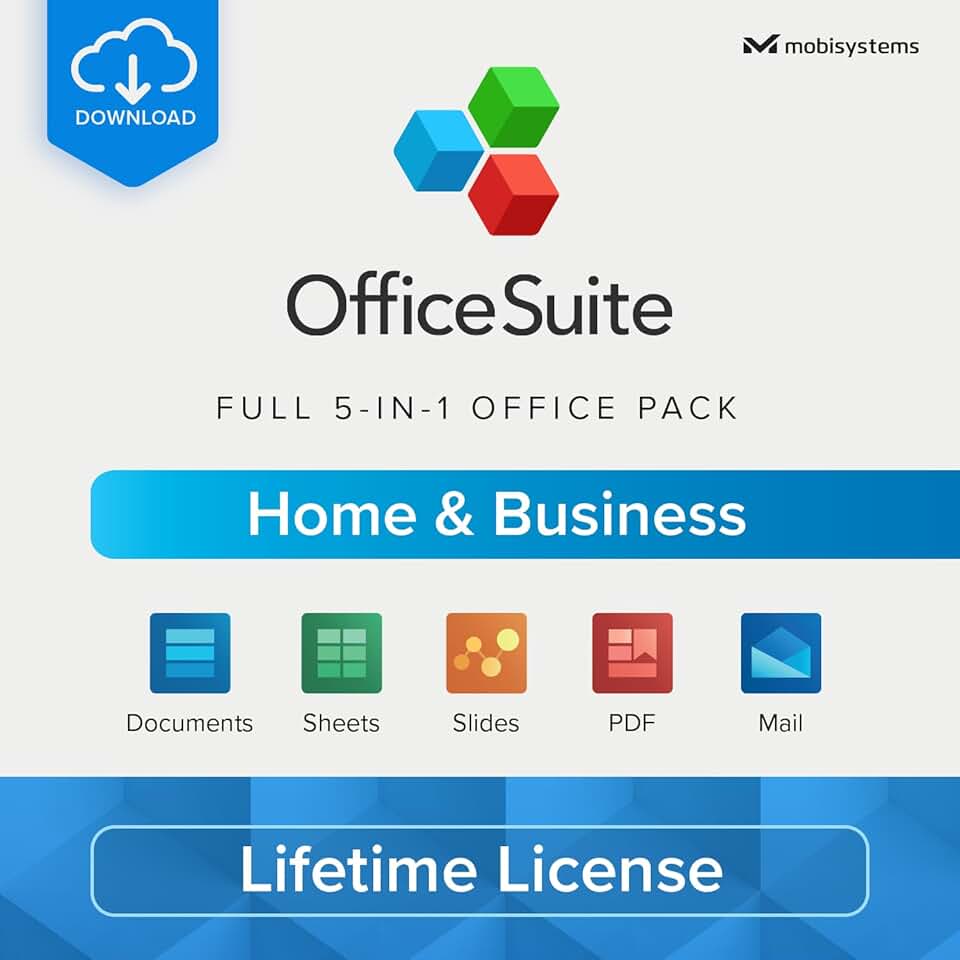
The OfficeSuite Home & Business 5 in 1 Office Pack presents itself as a compelling alternative to traditional subscription-based productivity suites. This comprehensive software solution aims to equip users with all the necessary tools for document creation, data management, presentations, PDF handling, and email communication.
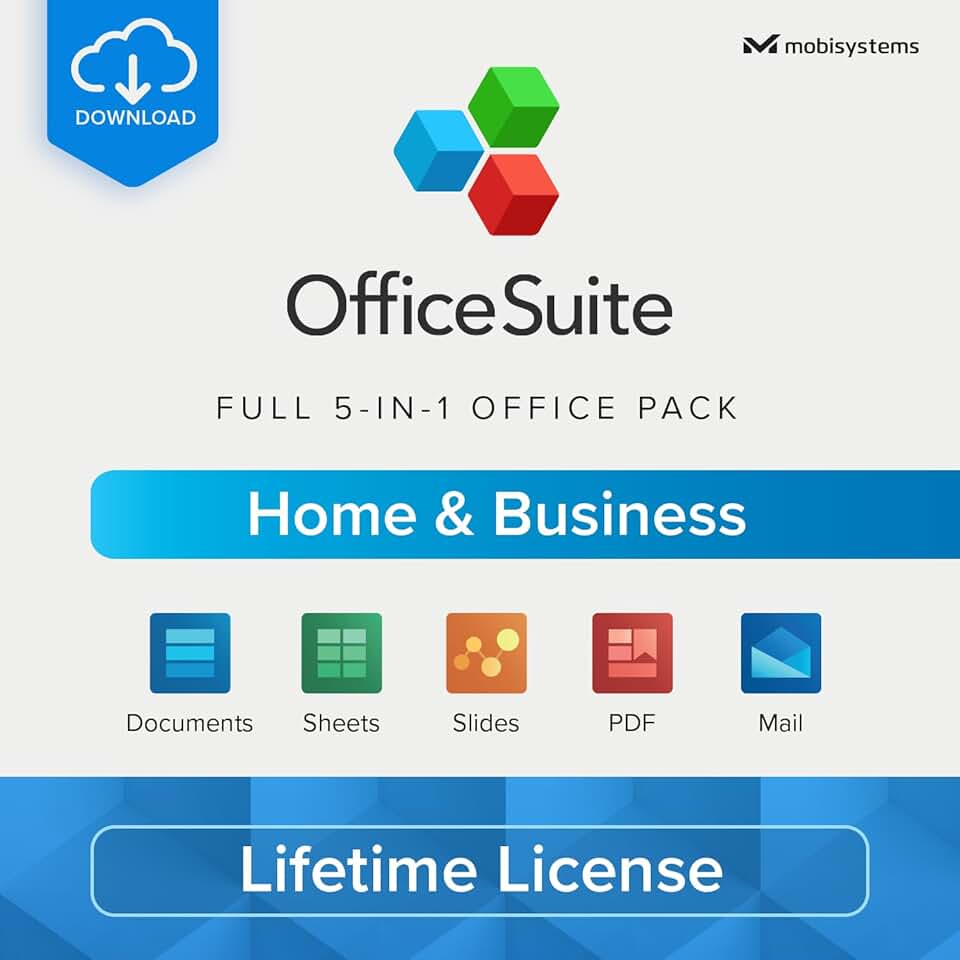
Designed for a single Windows PC user with a lifetime license, it promises a one-time purchase solution for ongoing productivity needs. Our in-depth review explores whether this offering truly delivers on its promise of value and functionality, especially given its competitive price point and the ever-evolving landscape of office software.
Quick Summary: OfficeSuite Home & Business
Rating: 3.0 out of 5 stars (Based on 175 reviews)
Price: $99.99 USD (one-time purchase)
Key Pros:
- Lifetime License: A significant advantage, eliminating recurring subscription costs.
- Comprehensive Suite: Includes Documents, Sheets, Slides, PDF, Mail, and Calendar.
- Familiar Interface: Designed to mimic popular office software, reducing the learning curve.
Key Cons:
- Average User Rating: Indicates potential areas for improvement in performance or features.
- Limited to 1 PC: This specific license doesn’t offer multi-device installation.
Table of Contents
OfficeSuite Home & Business Overview
The OfficeSuite Home & Business 5 in 1 Office Pack is a robust software suite developed by MobiSystems, designed to offer an all-encompassing productivity solution for personal and small business use. It bundles essential applications that mirror the functionality found in more expensive, subscription-based alternatives. This particular version provides a lifetime license for a single Windows PC, making it an attractive proposition for users seeking to avoid recurring costs.
At its core, OfficeSuite aims to provide a familiar user experience, ensuring that individuals transitioning from other office programs can quickly adapt. The suite includes five distinct, yet integrated, applications: Documents for word processing, Sheets for spreadsheets, Slides for presentations, a PDF editor and viewer, and a combined Mail and Calendar client. This comprehensive offering tackles a wide array of daily digital tasks.
The market for office productivity software is highly competitive, dominated by giants like Microsoft Office and challenged by free alternatives such as LibreOffice or Google Workspace. OfficeSuite carves out its niche by offering a premium experience with a one-time purchase model. This approach appeals significantly to budget-conscious consumers and small businesses who prefer asset ownership over ongoing operational expenses.
Understanding the value proposition of OfficeSuite Home & Business requires a closer look at its target audience. It is primarily geared towards home users, freelancers, and small business owners who need reliable and feature-rich tools without the complexities or cost of enterprise-grade software. The inclusion of a robust PDF editor, often a separate purchase, adds significant value to the overall package.
The software’s design emphasizes ease of use and compatibility, striving to open and edit files created in other popular office suites seamlessly. This interoperability is crucial for users who frequently exchange documents with colleagues or clients using different platforms. While striving for compatibility, the suite also offers its own unique features and interface refinements.
Moreover, the lifetime license model for OfficeSuite Home & Business represents a significant departure from the subscription trend prevalent in software today. This allows users to invest once and receive updates, typically minor ones, and continued functionality without further financial commitment. However, major version upgrades might require a separate purchase, a common practice for perpetual licenses.
The suite’s ability to handle various document types, from complex reports in Documents to intricate financial models in Sheets, positions it as a versatile tool for diverse productivity needs. Its integrated Mail and Calendar components further streamline workflow by centralizing communication and scheduling within the same ecosystem. This integration can save time and reduce the need for multiple disparate applications.
For those considering a shift from Microsoft Office or seeking to upgrade from free alternatives, OfficeSuite offers a compelling middle ground. It provides a professional-grade feature set at a more accessible price point than annual subscriptions, without the potential learning curve or feature limitations sometimes found in open-source options. This balance of cost, features, and usability makes it a noteworthy contender in the productivity software arena.
OfficeSuite Home & Business Key Features & Specs
The OfficeSuite Home & Business package is characterized by its comprehensive array of applications, each designed to tackle specific productivity tasks. Understanding these key features and specifications is crucial for assessing its suitability for your needs. The suite is delivered as a PC online code, ensuring a quick and digital installation process for Windows users.
Documents (Word Processing)
The Documents application is OfficeSuite’s answer to word processing, offering a familiar environment for creating and editing text-based files. It supports a wide range of formats, including DOC, DOCX, RTF, and ODT, ensuring broad compatibility with Microsoft Word documents. Users can expect standard formatting options, font controls, paragraph styles, and page layout tools.
Advanced features include spell check, grammar check, track changes, and comment insertion, which are essential for collaborative work and professional document creation. The interface is intuitive, closely resembling popular word processors, minimizing the learning curve for new users. It also supports embedding images, tables, and hyperlinks, making it suitable for reports, essays, and business correspondence.
Sheets (Spreadsheets)
Sheets provides robust spreadsheet functionality, capable of handling complex data analysis, financial modeling, and data visualization. It supports XLSX, CSV, ODS, and other common spreadsheet formats, allowing seamless interaction with Excel files. The application boasts a comprehensive set of formulas, functions, and charting tools.
Users can create various chart types, apply conditional formatting, and manage large datasets with ease. Features like pivot tables and data validation are present, catering to both basic and intermediate spreadsheet users. Its ability to perform calculations and organize numerical data efficiently makes it indispensable for budgeting, accounting, and scientific data management.
Slides (Presentations)
For creating impactful presentations, Slides offers a full suite of tools for designing professional and engaging visual content. It supports PPT, PPTX, ODP, and other presentation formats, ensuring compatibility with PowerPoint files. Users can choose from a variety of templates, add animations, transitions, and embed multimedia elements.
The application allows for precise control over text, images, shapes, and charts, helping users convey their message effectively. Its user-friendly interface facilitates the creation of compelling presentations for business meetings, academic lectures, or personal projects. Presenter view and speaker notes further enhance the delivery experience.
PDF (Portable Document Format)
A standout feature of the OfficeSuite Home & Business pack is its integrated PDF editor and viewer. Unlike many free office suites that only offer PDF viewing, OfficeSuite allows for direct editing of PDF documents. This includes adding text, images, and annotations, as well as signing documents digitally.
Users can also convert PDF files to other formats like Word, Excel, or ePub, and vice-versa, significantly enhancing document workflow. This capability is invaluable for businesses and individuals who regularly work with contracts, forms, or reports in PDF format, making it a powerful addition to the suite.
Mail & Calendar
The Mail and Calendar client provides a centralized hub for managing email communications and scheduling. It supports popular email protocols like POP3, IMAP, and SMTP, allowing users to configure multiple email accounts from various providers. The interface is clean and functional, offering features like email filtering, contact management, and robust search capabilities.
The integrated Calendar helps users organize appointments, meetings, and events efficiently. It supports multiple calendar views and synchronization with online calendars, ensuring users stay on top of their schedules. This combined functionality streamlines daily communication and time management tasks, integrating seamlessly with the other applications in the suite.
System Requirements & License Specifics
This particular license is designed for 1 Windows PC, meaning it can only be installed and activated on a single computer. It is an online code, requiring an internet connection for initial activation and potentially for updates. While specific system requirements are not detailed in the product description, it typically requires a modern Windows operating system (Windows 10 or 11) and reasonable hardware specifications for smooth performance.
The lifetime license implies that users receive perpetual access to the version of the software purchased, along with minor updates and bug fixes. However, it usually does not include major version upgrades (e.g., from OfficeSuite 5 to OfficeSuite 6) which may require an additional purchase. This model offers long-term cost savings compared to annual subscriptions, making it a financially prudent choice for many users.
Pros & Cons
Evaluating any software product necessitates a balanced look at its strengths and weaknesses. The OfficeSuite Home & Business 5 in 1 Office Pack, while offering a compelling value proposition, also comes with its own set of advantages and potential drawbacks. Understanding these can help prospective users make an informed decision.
Pros of OfficeSuite Home & Business
- Lifetime License & Cost-Effectiveness: The most significant advantage is the one-time purchase model. Unlike subscription services such as Microsoft 365, OfficeSuite Home & Business eliminates recurring annual or monthly fees. This makes it incredibly cost-effective in the long run, particularly for users who prefer to own their software outright. Over several years, the savings can be substantial.
- Comprehensive 5-in-1 Suite: This package includes Documents, Sheets, Slides, PDF, and Mail & Calendar, covering virtually all essential productivity needs. Having all these tools integrated into one suite simplifies workflow and reduces the need to purchase or manage multiple standalone applications. The inclusion of a full-featured PDF editor is particularly noteworthy, as this is often a premium add-on in other suites.
- Familiar User Interface: OfficeSuite’s applications are designed with an interface that closely mimics popular office software, especially Microsoft Office. This familiarity significantly reduces the learning curve for new users, allowing them to be productive almost immediately. The ribbon-style menus and icon placements feel intuitive for anyone accustomed to modern office environments.
- Strong File Compatibility: The suite boasts excellent compatibility with various file formats, including those from Microsoft Office (DOCX, XLSX, PPTX). This means users can confidently open, edit, and save documents created in other programs without significant formatting issues. This interoperability is crucial for collaborative work and ensures smooth document exchange with others.
- Robust PDF Capabilities: Beyond simple viewing, OfficeSuite’s PDF component allows for extensive editing, annotation, and conversion. Users can add text, images, shapes, and comments directly to PDF files. The ability to convert PDFs to editable Word, Excel, or ePub formats adds immense flexibility, making it a powerful tool for document management and repurposing content.
Cons of OfficeSuite Home & Business
- Average User Rating (3.0 Stars): The product’s average rating of 3.0 stars from 175 reviews suggests that while many users find it satisfactory, a significant portion has encountered issues or found it lacking in certain aspects. This could point to occasional performance glitches, missing advanced features, or less-than-stellar customer support experiences. It indicates a need for potential users to manage their expectations.
- Limited to 1 Windows PC: This specific license is restricted to installation on a single Windows computer. For users who work across multiple devices (e.g., a desktop at home and a laptop for travel) or different operating systems (Mac, Android, iOS), this limitation can be a significant drawback. Other OfficeSuite versions offer multi-device support, but this particular pack does not.
- Potential for Advanced Feature Gaps: While OfficeSuite covers core functionalities well, it may lack some of the highly specialized or advanced features found in premium, subscription-based suites like Microsoft 365. Power users, especially those in data analysis, complex graphic design within presentations, or advanced macro programming, might find certain tools or integrations missing.
- Customer Support Concerns: User reviews sometimes highlight inconsistent or slow customer support. While MobiSystems provides support, the quality and responsiveness can vary, potentially leading to frustration when encountering technical issues. This is a common challenge for many software providers, but it’s an important consideration for users who rely heavily on assistance.
- Cloud Integration & Collaboration Limitations: While OfficeSuite supports opening files from cloud services, its native cloud integration and real-time collaborative editing features may not be as robust or seamless as those offered by cloud-first suites like Google Workspace or Microsoft 365. For teams requiring deep, simultaneous co-authoring capabilities, this could be a limiting factor.
Who Should Buy the OfficeSuite Home & Business?
Determining whether the OfficeSuite Home & Business 5 in 1 Office Pack is the right choice for you depends heavily on your specific needs, budget, and workflow preferences. This software solution is not a one-size-fits-all product, but it shines for several distinct user profiles seeking a reliable and affordable productivity suite.
Home Users and Families
For individuals and families managing personal documents, creating budgets, or assisting with school projects, OfficeSuite provides excellent value. Its comprehensive set of applications covers most daily tasks without the burden of a recurring subscription fee. You can write letters, manage household finances, and create presentations for various personal needs.
The lifetime license means you won’t face unexpected renewal costs, making it a predictable expense in a household budget. This is particularly appealing for those who use office software regularly but not necessarily for professional, high-demand tasks that might require more advanced features.
Small Business Owners and Freelancers
Small business owners and freelancers often operate with tight budgets and need reliable tools without enterprise-level costs. OfficeSuite Home & Business offers a professional-grade solution for creating invoices, managing client communications, preparing proposals, and tracking expenses. The included Mail & Calendar client streamlines business correspondence and scheduling.
The PDF editing capabilities are a significant asset for businesses that deal with contracts, forms, and client documents. Being able to edit and sign PDFs directly within the suite eliminates the need for separate, often expensive, PDF software. This helps maintain a professional image while keeping operational costs down.
Students
Students frequently need word processors for essays, spreadsheets for data analysis, and presentation tools for projects. OfficeSuite provides all these essentials in a familiar environment, making it easy to transition from school-provided software or free online tools. The one-time purchase is also highly beneficial for students on a budget, providing a tool they can use throughout their academic career without ongoing fees.
Compatibility with Microsoft Office formats is crucial for students who often collaborate or submit assignments in specific formats. OfficeSuite ensures that their work will open correctly for professors and peers, avoiding potential formatting issues that can arise with less compatible software.
Users Seeking an Alternative to Subscriptions
Many users are growing tired of the subscription model prevalent in software today. If you prefer to own your software outright and avoid continuous payments, OfficeSuite Home & Business is an excellent choice. It offers a robust set of features that can easily replace a Microsoft 365 subscription for most users’ needs, at a fraction of the long-term cost.
This perpetual license model provides peace of mind, knowing that your productivity tools will always be available and functional without an active subscription. It’s a strategic investment for those who value long-term ownership over continuous access to the absolute latest features.
Who Should NOT Buy OfficeSuite Home & Business?
Conversely, certain users might find OfficeSuite Home & Business less suitable. Power users who rely on highly advanced features, complex macros, or niche integrations found in premium versions of Microsoft Office might encounter limitations. For instance, specialized data analysis tools in Excel or advanced animation paths in PowerPoint may not be fully replicated.
Users who require multi-device installation or cross-platform compatibility (e.g., Mac, Linux, or extensive mobile use) will also find this specific 1 PC Windows license restrictive. While OfficeSuite has other versions that offer broader device support, this particular product is strictly for a single Windows machine. Large enterprises with complex IT infrastructures and stringent security requirements might also prefer solutions with more robust management and collaboration features.
FAQ about OfficeSuite Home & Business
To further assist in your decision-making process, here are some frequently asked questions about the OfficeSuite Home & Business 5 in 1 Office Pack. These answers aim to clarify common concerns and provide detailed insights into the product’s functionality and licensing.
Q1: What exactly is included in the OfficeSuite Home & Business 5-in-1 pack?
The 5-in-1 pack for OfficeSuite Home & Business includes five distinct and fully-featured applications designed for comprehensive productivity. These are Documents (for word processing), Sheets (for spreadsheets), Slides (for presentations), a dedicated PDF editor and viewer, and a combined Mail & Calendar client. This suite provides a complete set of tools for most personal and small business office tasks, from writing reports to managing emails and schedules.
Each application is designed to function independently while also integrating smoothly within the OfficeSuite ecosystem. The robust PDF editor is a particularly valuable inclusion, as it allows for more than just viewing, offering editing and conversion capabilities that are often premium features in other software. This makes it a versatile solution for handling various document formats.
Q2: Is OfficeSuite Home & Business compatible with Microsoft Office files?
Yes, OfficeSuite Home & Business boasts excellent compatibility with Microsoft Office file formats. You can confidently open, edit, and save documents created in Microsoft Word (.docx, .doc), Excel (.xlsx, .xls), and PowerPoint (.pptx, .ppt) without significant loss of formatting or data. This high level of compatibility is crucial for users who frequently exchange files with others using Microsoft Office.
While compatibility is generally strong, it’s important to note that highly complex documents with intricate macros, specific fonts not installed on your system, or very advanced features (e.g., certain Power Query functions in Excel) might not render identically. However, for the vast majority of standard business and personal documents, compatibility is seamless, ensuring your work looks as intended.
Q3: Is this a subscription or a one-time purchase?
This specific version of OfficeSuite Home & Business is offered as a lifetime license, meaning it is a one-time purchase. You pay for the software once, and you own that particular version indefinitely. This model eliminates the need for recurring annual or monthly subscription fees, offering significant long-term cost savings compared to services like Microsoft 365.
While you receive perpetual access to the software and typically minor updates or bug fixes for that version, major version upgrades (e.g., from OfficeSuite 5 to OfficeSuite 6) are usually not included and may require a separate purchase if you wish to upgrade to newer feature sets. This is a common practice for perpetual software licenses, providing flexibility to upgrade only when desired.
Q4: What are the system requirements for OfficeSuite Home & Business?
While the product description does not list specific detailed system requirements, OfficeSuite Home & Business is designed for modern Windows PCs. Typically, it requires a Windows operating system (Windows 10 or Windows 11 are recommended for optimal performance), a processor of 1 GHz or faster, 2 GB of RAM or more, and at least 4 GB of available hard disk space for installation. An internet connection is necessary for initial activation and to receive updates.
For the best user experience, especially when working with large files or multiple applications simultaneously, a system with more RAM and a faster processor is always beneficial. As an online code, the installation process is digital, requiring you to download the software after purchase and activation.
Q5: Can I install this OfficeSuite Home & Business license on multiple computers?
No, this particular OfficeSuite Home & Business lifetime license is strictly for 1 Windows PC. This means you can install and activate the software on only one desktop or laptop running the Windows operating system. If you need to use OfficeSuite on multiple computers or different operating systems (such as macOS, Android, or iOS), you would need to purchase a different OfficeSuite license that explicitly supports multiple devices or platforms.
Users who require flexibility across several machines should carefully review other OfficeSuite offerings or consider alternative solutions. This limitation is a key factor to consider, especially for individuals who frequently switch between home and work computers or use a combination of devices for their daily tasks.
Q6: How does OfficeSuite Home & Business compare to free alternatives like LibreOffice?
OfficeSuite Home & Business generally offers a more polished user interface and potentially better file compatibility with Microsoft Office formats compared to free alternatives like LibreOffice. While LibreOffice is a powerful open-source suite, its interface can sometimes feel less modern, and its compatibility with complex MS Office documents can occasionally lead to minor formatting discrepancies.
OfficeSuite also often provides more robust integrated features, such as its advanced PDF editor, which is a significant advantage over many free options that only offer basic PDF viewing. While LibreOffice is a strong contender for budget-conscious users, OfficeSuite positions itself as a more direct, premium alternative to Microsoft Office with a one-time cost, balancing features, usability, and affordability.
Final Verdict
The OfficeSuite Home & Business 5 in 1 Office Pack presents a compelling proposition in a market increasingly dominated by subscription-based software. Its lifetime license model stands out as a significant advantage, offering substantial long-term savings for users who prefer a one-time investment. This makes it an attractive choice for individuals and small businesses seeking to manage their software expenses predictably.
The suite’s comprehensive array of applications—Documents, Sheets, Slides, PDF, and Mail & Calendar—covers virtually all essential productivity needs. The familiar user interface ensures a low learning curve, allowing users to transition smoothly from other office programs. Furthermore, its strong compatibility with Microsoft Office file formats is a crucial feature for collaborative environments and seamless document exchange.
The integrated PDF editor is a particular highlight, offering robust editing, annotation, and conversion capabilities often found only in premium, standalone applications. This feature alone adds considerable value to the overall package, streamlining document workflows and reducing the need for additional software purchases. For many users, this comprehensive functionality will be more than sufficient for daily tasks.
However, it is important to consider the product’s limitations. The average user rating of 3.0 stars suggests that while many users are satisfied, some have encountered performance issues or found certain advanced features lacking compared to top-tier, subscription-based alternatives. Additionally, this specific license is limited to installation on a single Windows PC, which might be a drawback for users needing multi-device flexibility or cross-platform support.
Despite these minor drawbacks, for its price point and the benefits of a lifetime license, OfficeSuite Home & Business offers remarkable value. It serves as an excellent alternative for home users, students, freelancers, and small business owners who require reliable, feature-rich office software without the commitment of recurring fees. It strikes a commendable balance between functionality, usability, and affordability, making it a worthy investment for those who fit its target demographic.
If you’re looking for a dependable productivity suite that you can own outright, handles most common office tasks with ease, and provides robust PDF capabilities, then OfficeSuite Home & Business is definitely worth considering. It offers a solid foundation for your digital workflow without breaking the bank over time.
Learn more about OfficeSuite on the official MobiSystems website.
Explore the history and types of office suites on Wikipedia.