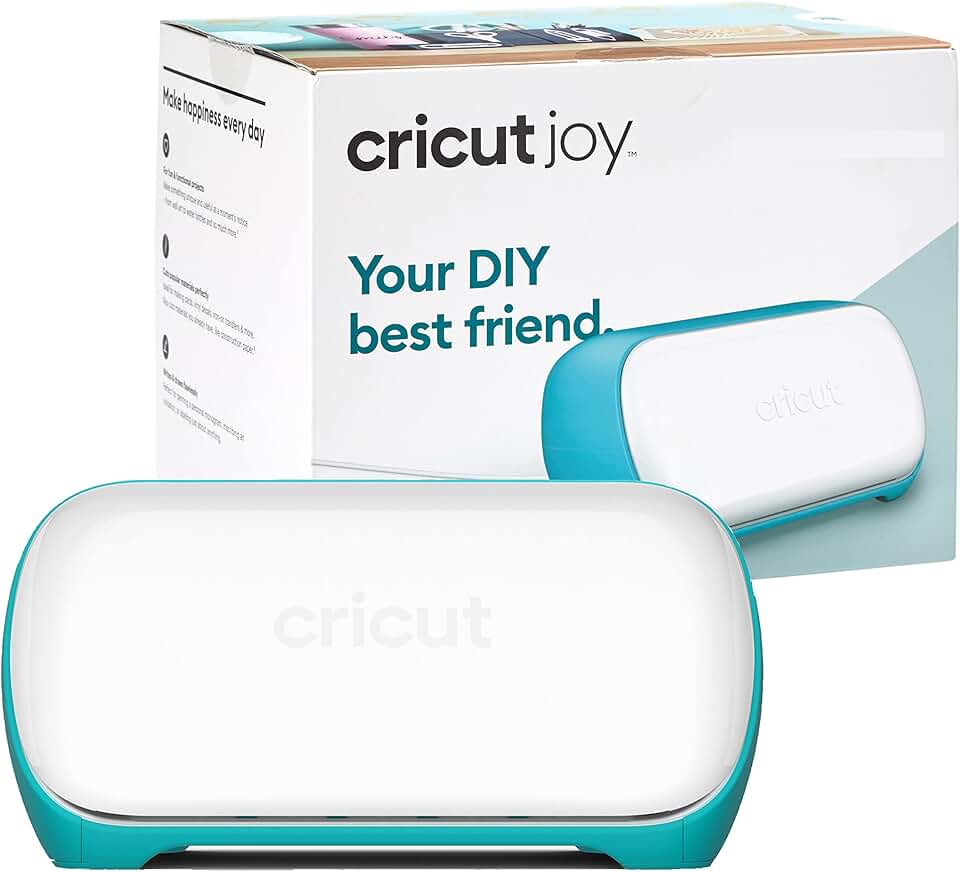
The Cricut Joy Machine has emerged as a game-changer for crafters seeking convenience, portability, and powerful performance in a compact package. This innovative smart cutting machine simplifies personalization, allowing users to create custom labels, cards, vinyl decals, and iron-ons with remarkable ease.
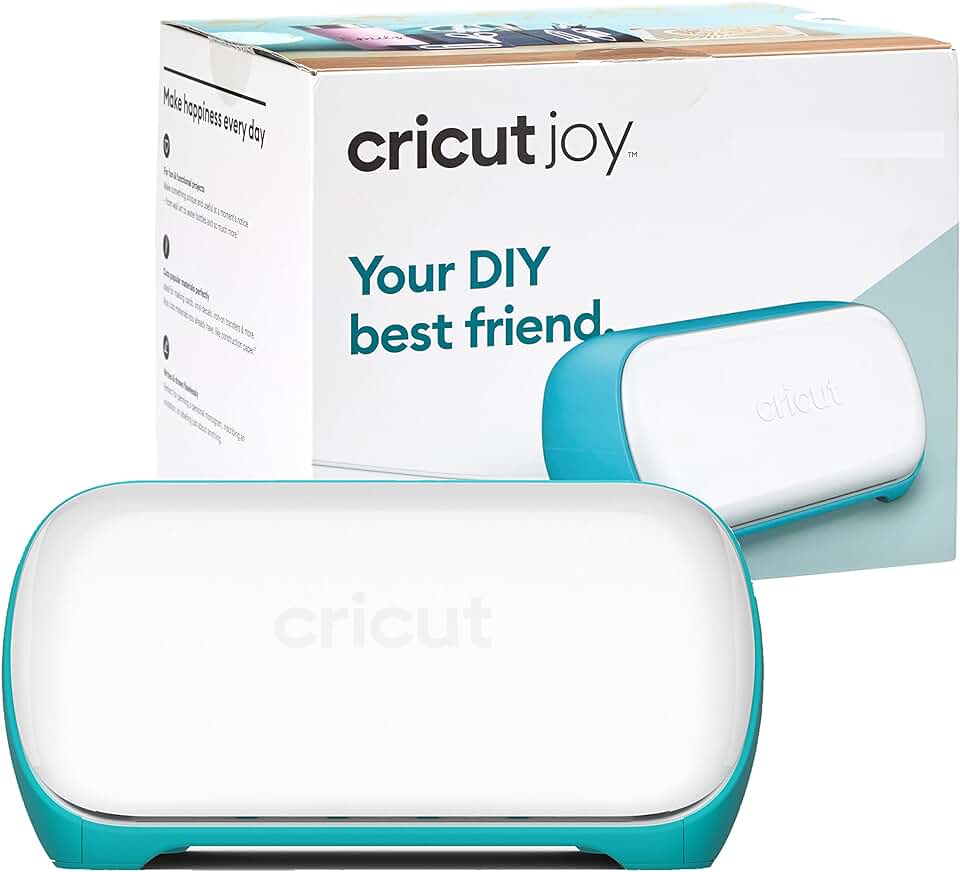
Quick Summary: Cricut Joy Machine
Rating: 4.5/5 Stars
Price: $129.00 USD
Key Pros:
- Extremely compact and portable design, ideal for small spaces.
- Incredibly easy to learn and use, perfect for beginners.
- Smart Materials compatibility allows mat-free cutting for quick projects.
Key Cons:
- Limited cutting width (4.5 inches) restricts project size.
- Single tool housing means you can only cut or write, not both simultaneously.
Table of Contents
Cricut Joy Machine Overview
The Cricut Joy Machine represents a significant leap in accessibility for personal crafting. Designed to be the smallest and most portable of Cricut’s smart cutting machines, it brings the power of custom creation into virtually any home or workspace.
Its primary appeal lies in its simplicity and compact footprint. Unlike its larger siblings, the Joy doesn’t demand significant counter space, making it perfect for apartments, dorm rooms, or crafters with limited dedicated areas.
This machine excels at quick, everyday projects that add a personal touch to your life. From organizing your pantry with custom labels to creating heartfelt greeting cards or customizing T-shirts with iron-on designs, the Cricut Joy streamlines these tasks.
The bundled Digital Content Library adds immense value, providing a rich collection of ready-to-make projects, fonts, and images. This immediate access to creative assets ensures that even absolute beginners can start crafting right out of the box without feeling overwhelmed.
One of the most revolutionary aspects of the Cricut Joy is its compatibility with Smart Materials. These specialized materials can be fed directly into the machine without a cutting mat, significantly speeding up the workflow for longer cuts and continuous projects.
For those new to the Cricut ecosystem, the Joy serves as an excellent entry point. It introduces the core concepts of smart cutting in a user-friendly manner, allowing crafters to build confidence before potentially exploring more advanced machines.
Its Bluetooth connectivity ensures a wireless and clutter-free experience, controlled entirely through the intuitive Cricut Design Space app on your smartphone, tablet, or computer. This integration makes design and execution remarkably fluid.
The machine’s precision cutting and drawing capabilities mean your projects will look professional and polished. Whether you’re cutting intricate vinyl decals or drawing elegant script for a card, the Cricut Joy delivers consistent, high-quality results.
While it may not handle the massive projects of a Cricut Maker or Explore, its specialization in smaller, faster tasks makes it indispensable for a certain niche of crafters. It’s the perfect companion for spontaneous creativity and efficient organization.
The bundle’s inclusion of a digital content library further enhances its value proposition, offering inspiration and resources that might otherwise require separate purchases. This holistic approach makes the Cricut Joy Machine an attractive all-in-one solution for budding designers and efficiency-minded crafters.
For more details on the full range of Cricut products and their capabilities, you can visit the official Cricut website.
Cricut Joy Machine Key Features & Specs
The Cricut Joy Machine boasts a set of features and specifications tailored for convenience and quick crafting. Its design prioritizes ease of use and portability, making it distinct from other machines in the Cricut family.
Compact and Lightweight Design
Weighing in at just 3.85 pounds and measuring approximately 8.4 x 5.4 x 4.2 inches, the Cricut Joy is incredibly small. This diminutive size allows it to fit comfortably on any desk or shelf, and it’s light enough to carry from room to room or even take to crafting parties.
Its minimal footprint means it requires very little storage space, appealing to users in smaller living environments. The sleek, modern aesthetic also ensures it looks good wherever it’s placed.
Smart Materials Compatibility
One of the standout features is its ability to work with Cricut Smart Materials. These materials, including Smart Vinyl, Smart Iron-On, and Smart Paper Sticker Cardstock, can be loaded directly into the machine without the need for a cutting mat.
This mat-free cutting capability simplifies the crafting process, reduces material waste, and allows for continuous cuts up to 4 feet long or repeated cuts up to 20 feet long. It’s particularly useful for creating long banners, continuous labels, or repetitive patterns.
Cutting and Writing Functions
The Cricut Joy is a versatile two-in-one machine, capable of both precision cutting and detailed writing. It can cut over 50 different types of materials, including vinyl, iron-on, cardstock, paper, and even some specialty materials like infusible ink sheets.
With Cricut Joy pens, it can draw intricate designs and write in various fonts directly onto your projects. This dual functionality makes it ideal for creating personalized cards, custom labels, and unique gift tags that look professionally made.
Digital Content Library Bundle
This specific bundle includes access to a valuable Digital Content Library. This library provides a wide array of pre-designed projects, images, and fonts, offering a fantastic starting point for new crafters.
It eliminates the need to purchase individual designs initially, providing immediate inspiration and resources. This content significantly enhances the machine’s utility right out of the box, offering a diverse range of creative possibilities.
Bluetooth Wireless Technology
The machine connects wirelessly via Bluetooth to your device. This means no tangled cords or direct USB connections are required, offering greater flexibility in your workspace. You can control your Cricut Joy from your phone, tablet, or computer.
The wireless connection ensures a seamless and convenient crafting experience. It allows you to place the machine wherever it’s most convenient, without being tethered to your design device.
Cricut Design Space Software
All Cricut machines, including the Joy, operate through the free Cricut Design Space software. This intuitive software is available on iOS, Android, Windows, and Mac, providing a user-friendly interface for designing, editing, and sending projects to your machine.
Design Space offers a vast library of images, fonts, and ready-to-make projects, which can be further expanded with a Cricut Access subscription. Its drag-and-drop functionality and simple tools make it accessible even for those with no prior design experience.
Maximum Cutting Width
The Cricut Joy has a maximum cutting width of 4.5 inches. While this is narrower than other Cricut machines, it’s perfectly suited for its intended purpose of smaller, quick projects. This dimension is ideal for labels, card inserts, and small decals.
Understanding this limitation is key for potential buyers to ensure it aligns with their typical project sizes. For larger projects, a different machine might be more appropriate, but for its niche, 4.5 inches is ample.
Pros & Cons
Evaluating the Cricut Joy Machine involves weighing its significant advantages against its inherent limitations. Understanding these points is crucial for making an informed purchase decision.
Pros of the Cricut Joy Machine
- Exceptional Portability and Compactness: The most obvious advantage is its tiny footprint and lightweight design. It’s incredibly easy to store, transport, and use in any space, from a small apartment kitchen table to a dedicated craft room. This makes spontaneous crafting sessions much more feasible.
- Beginner-Friendly and Easy to Use: The Cricut Joy is designed with simplicity in mind. Its intuitive setup, streamlined Design Space app interface, and clear instructions make it incredibly accessible for crafting novices. You can literally unbox it and start creating within minutes.
- Smart Materials for Mat-Free Cutting: The ability to cut Smart Materials without a mat is a game-changer for efficiency. This feature saves time and effort, especially for repetitive tasks or longer vinyl cuts, making project creation faster and more convenient.
- Quick and Efficient Project Creation: For small-scale projects like labels, cards, or small decals, the Joy is remarkably fast. Its focused capabilities mean less setup time and quicker execution, perfect for last-minute personalization or organization tasks.
- Included Digital Content Library: The bundle’s digital content library provides immediate access to a wealth of designs, fonts, and ready-to-make projects. This adds significant value, offering inspiration and saving new users from the initial cost of purchasing individual designs.
- Versatile for Small Tasks: Despite its size, the Joy is incredibly versatile for its niche. It handles vinyl, iron-on, cardstock, and paper with precision, allowing for a wide range of personalized items from custom mugs to greeting cards and home organization labels.
- Great for Gifting: Its compact size and ease of use make it an excellent gift for aspiring crafters, students, or anyone looking to add a personal touch to their belongings without a significant investment in space or learning curve.
Cons of the Cricut Joy Machine
- Limited Cutting Width (4.5 inches): The primary limitation is its narrow cutting width. This restricts the size of projects you can undertake, meaning it’s not suitable for large signs, extensive fabric cutting, or bigger iron-on designs. Crafters needing broader capabilities will find this restrictive.
- Single Tool Housing: Unlike the Explore or Maker, the Cricut Joy only has one tool clamp. This means you can either cut or write in a single pass, but not both simultaneously. For projects requiring both functions, you’ll need to manually swap tools and run the machine twice.
- Not Ideal for Heavy-Duty Crafting: While precise, the Joy isn’t built for cutting thick or dense materials like basswood, leather, or fabric with specialized blades. Its material compatibility is geared towards standard crafting materials, not heavy-duty applications.
- Potential for Recurring Costs: While the bundle includes a digital library, accessing the full range of Cricut Design Space’s premium content often requires a Cricut Access subscription. Additionally, specialized Smart Materials can be more expensive than generic alternatives, though their convenience is a trade-off.
- Dependency on Cricut Ecosystem: Like all Cricut machines, the Joy operates exclusively with Cricut Design Space. While user-friendly, this means you are locked into their software and material ecosystem, which might not appeal to users seeking more open-source flexibility.
Who Should Buy the Cricut Joy Machine?
The Cricut Joy Machine is not a one-size-fits-all solution, but it perfectly caters to several specific types of crafters and users. Identifying your crafting habits and needs will help determine if this compact machine is the right fit for you.
The Crafting Beginner
If you’re new to the world of smart cutting machines and feel intimidated by larger, more complex devices, the Cricut Joy is an excellent starting point. Its simplicity, small size, and ease of use provide a gentle introduction to digital crafting.
The bundled digital content ensures you have plenty of projects to get started without feeling overwhelmed by design choices. It builds confidence and teaches the fundamentals of the Cricut ecosystem.
The Casual or Occasional Crafter
For those who enjoy crafting as a hobby but don’t need to produce large volumes of intricate items, the Joy is ideal. It’s perfect for making personalized gifts, occasional home decor accents, or seasonal decorations without requiring a major time or space commitment.
Its quick setup and project execution mean you can dive into a craft project whenever inspiration strikes, even if you only have a short amount of time.
Individuals with Limited Space
Apartment dwellers, college students, or anyone with restricted crafting space will greatly appreciate the Cricut Joy’s tiny footprint. It can be easily stored in a drawer or on a small shelf, and quickly brought out for use.
You don’t need a dedicated craft room to own a Cricut Joy; a kitchen counter or a corner of a desk is perfectly sufficient. Its portability also means you can craft wherever you feel most comfortable.
Labeling and Organization Enthusiasts
If your primary interest is creating custom labels for pantry organization, spice jars, file folders, or school supplies, the Joy is unparalleled. Its ability to create long, continuous labels with Smart Vinyl makes organization tasks incredibly efficient and stylish.
The precision cutting ensures crisp, professional-looking labels that can transform any cluttered space into an organized haven. This is a core strength where the Joy truly shines.
Card Makers and Gift Personalizers
For those who love making handmade greeting cards, invitations, or adding a personal touch to gifts, the Cricut Joy is a fantastic tool. Its specialized card mat and ability to both cut and draw make creating bespoke cards incredibly simple.
You can quickly design and cut intricate card inserts, create custom envelopes, or add unique vinyl decals to gift boxes. The digital content library offers numerous card designs to get started.
Teachers and Small Business Owners
Teachers can use the Joy to create classroom labels, educational aids, or personalized student rewards. Small business owners might find it useful for creating custom packaging labels, branding stickers, or personalized items for their customers.
While not for mass production, it’s excellent for small batches and adding a professional, handmade touch to products or events.
Conversely, if you plan to cut large quantities of materials, work with very thick or specialized materials, or require a wider cutting area for big projects, you might find the Joy’s limitations frustrating. For those needs, a Cricut Explore or Maker machine would be a more suitable investment.
FAQ about Cricut Joy Machine
Here are some frequently asked questions about the Cricut Joy Machine, providing deeper insights into its functionality and capabilities.
Q1: What materials can the Cricut Joy cut?
The Cricut Joy is capable of cutting over 50 different types of materials. This includes popular crafting materials like Smart Vinyl, Smart Iron-On, Smart Paper Sticker Cardstock, regular vinyl, iron-on, cardstock, paper, and even Infusible Ink Transfer Sheets. Its cutting capabilities are primarily geared towards thinner, more flexible materials.
While it handles a good range, it’s not designed for thicker materials like basswood, leather, or fabric requiring specialized blades (like the Knife Blade or Rotary Blade found on Cricut Maker machines). Always check Cricut’s compatibility list for specific material support.
Q2: Is the Cricut Joy easy for beginners to use?
Absolutely, yes. The Cricut Joy is specifically designed to be the most beginner-friendly machine in the Cricut lineup. Its compact size, simplified interface in Cricut Design Space, and the convenience of Smart Materials make the learning curve very shallow.
Many users report being able to complete their first project within minutes of unboxing. The included Digital Content Library bundle further aids beginners by providing ready-to-make projects and inspiration, reducing initial design hurdles.
Q3: What is included in the Digital Content Library Bundle?
The Digital Content Library Bundle typically includes a curated selection of digital assets accessible through Cricut Design Space. This can encompass a variety of images, fonts, and pre-designed projects that are immediately available for use with your Cricut Joy.
The exact contents may vary, but it’s designed to give new users a substantial creative boost without needing to purchase individual designs or a Cricut Access subscription right away. It provides great value for getting started quickly.
Q4: Can I use my own designs with Cricut Joy?
Yes, you can definitely upload and use your own designs with the Cricut Joy Machine. Cricut Design Space allows you to import various image files (like .svg, .jpg, .png, .gif, .bmp, .dxf) and turn them into cut or draw files for your Joy.
This flexibility means you’re not limited to Cricut’s library, enabling truly unique and personalized creations. The software provides tools to clean up images and prepare them for cutting or drawing.
Q5: What’s the main difference between Cricut Joy and other Cricut machines (Explore/Maker)?
The primary differences lie in size, cutting width, material versatility, and tool capabilities. The Cricut Joy is the smallest, most portable machine with a maximum cutting width of 4.5 inches and a single tool housing (cut or write).
Cricut Explore machines are larger, cut up to 12 inches wide, and can handle more materials with additional tools (like scoring). Cricut Maker machines are the most versatile, cutting over 300 materials with a wider array of adaptive tools, including fabric and wood. The Joy is for quick, small projects, while Explore and Maker are for larger, more diverse, and heavier-duty crafting.
Q6: Are Cricut Joy materials expensive?
Cricut brand materials, especially the Smart Materials designed for mat-free cutting, can sometimes be pricier than generic alternatives. However, their convenience, guaranteed compatibility, and often superior quality are factors in their cost.
While you can use some non-Cricut brand materials with a cutting mat, for the unique mat-free feature, you’ll need Cricut’s Smart Materials. Budget-conscious crafters often look for sales or bundles to manage costs, and the initial Digital Content Library helps reduce immediate expenses.
Q7: Does the Cricut Joy require an internet connection to work?
An internet connection is required to download and install Cricut Design Space, create a Cricut ID, and initially access and save projects to the cloud. You also need it to access the full Cricut image library and any purchased content.
However, once projects are saved to your device for offline use, you can operate the Cricut Joy without an active internet connection for those specific projects. For full functionality and accessing new content, an internet connection is generally needed.
Final Verdict
The Cricut Joy Machine, especially when bundled with a Digital Content Library, stands out as an exceptional choice for a specific segment of the crafting community. It masterfully balances powerful smart cutting technology with an incredibly user-friendly and compact design.
For beginners taking their first steps into digital crafting, or for experienced crafters who need a highly portable and efficient tool for quick, small-scale projects, the Joy is undeniably worth the investment. Its ability to personalize, organize, and create with minimal fuss is a significant advantage.
While its 4.5-inch cutting width and single tool housing might be limitations for those with ambitions for large or highly complex projects, these are deliberate design choices that contribute to its core strengths: simplicity, speed, and portability. It’s not meant to replace a larger machine but to complement it or serve as a perfect standalone for its niche.
The inclusion of the Digital Content Library in this bundle further sweetens the deal, providing immediate access to a wealth of creative resources. This ensures that users can start crafting right away, drawing inspiration from a vast collection of designs without additional initial costs.
Ultimately, the Cricut Joy Machine is a brilliant piece of technology for anyone who values convenience, wants to personalize everyday items, or needs an efficient tool for card making, labeling, and small vinyl projects. It truly delivers on its promise of making crafting joyful and accessible.
For more insights into various crafting tools and techniques, explore resources like Craftsy’s crafting tips to enhance your creative journey.