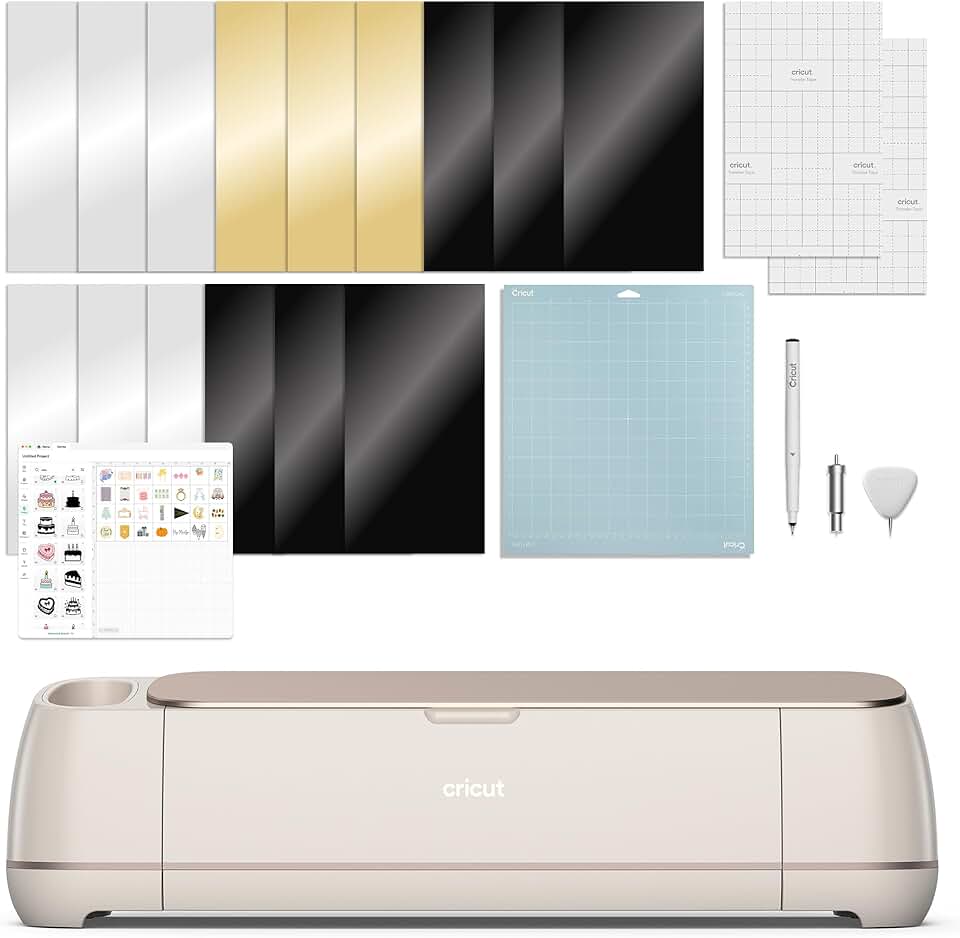
The Cricut Maker 4 stands as a formidable contender in the world of smart cutting machines, promising unparalleled versatility and precision for crafters and DIY enthusiasts alike. This review delves deep into its capabilities, performance, and overall value, helping you decide if it’s the right investment for your creative endeavors.
Quick Summary: Cricut Maker 4
- Rating: 4.5 out of 5 stars (785 reviews)
- Price: $399.00 USD
- Key Pros:
- Exceptional material versatility (300+ materials)
- Adaptive Tool System for precision and specialized cuts
- Fast cutting and writing speeds
- Key Cons:
- High initial cost
- Reliance on Design Space software and internet connection
Table of Contents
Cricut Maker 4 Overview
The Cricut Maker 4 is the latest iteration in Cricut’s flagship line of smart cutting machines, designed to empower crafters with professional-level precision and an expansive range of material compatibility. It builds upon the success of its predecessors, offering enhanced performance and a streamlined user experience for both beginners and seasoned designers.
At its core, the Maker 4 is a versatile digital die-cutting machine that can cut, score, engrave, deboss, and foil a vast array of materials. From delicate tissue paper and vinyl to thicker balsa wood, leather, and even fabric without a backing, its capabilities are truly impressive. This machine is engineered to handle intricate designs with remarkable accuracy, making it a go-to tool for a multitude of crafting projects.
The machine operates in conjunction with Cricut’s proprietary software, Design Space, which serves as the hub for creating, customizing, and sending designs to the Maker 4. This cloud-based platform provides access to a rich library of images, fonts, and ready-to-make projects, though some premium content may require a Cricut Access subscription.
One of the distinguishing features of the Maker series, including the Maker 4, is its Adaptive Tool System. This system allows the machine to intelligently control the direction of the blade and the cutting pressure, adapting to the specific material being used. This results in cleaner cuts, more precise scoring, and a broader range of creative possibilities.
The Maker 4 is not just a cutting machine; it’s a comprehensive crafting ecosystem. It seamlessly integrates with other Cricut accessories and materials, ensuring a cohesive and efficient workflow. Whether you’re making custom apparel, intricate paper crafts, personalized home decor, or professional-looking prototypes, this machine aims to be your ultimate creative partner.
Its sleek Seashell color and compact design ensure it fits well into any craft room or workspace without being overly obtrusive. The machine is built with durability in mind, promising reliable performance over countless hours of crafting. User feedback often highlights its robust construction and consistent output.
Understanding the Cricut Maker 4 means appreciating its role as a bridge between digital design and physical creation. It translates your digital ideas into tangible projects with a level of detail and finish that manual methods often cannot achieve. This automation saves time and effort, allowing crafters to focus more on creativity and less on tedious manual cutting.
For those familiar with earlier Cricut models, the Maker 4 offers incremental but meaningful improvements in speed and efficiency, particularly when working with Smart Materials. These specialized materials can be fed directly into the machine without a cutting mat, speeding up projects and allowing for longer, continuous cuts. This innovation is especially beneficial for larger projects or batch production.
The included Digital Content Bundle further enhances the value proposition, providing users with immediate access to a selection of images within Design Space. This helps new users get started quickly and offers existing users fresh inspiration for their next creations. The bundle is a thoughtful addition, ensuring that users have resources at their fingertips from day one.
Overall, the Cricut Maker 4 positions itself as a premium smart cutting machine for serious crafters and small business owners. Its advanced technology, extensive material compatibility, and integration with the Design Space platform make it a powerful tool for bringing complex creative visions to life. It represents a significant investment, but one that many find justifiable given its capabilities and potential for project diversity.
Cricut Maker 4 Key Features & Specifications
The Cricut Maker 4 is packed with advanced features that set it apart in the smart cutting machine market. Understanding these specifications is crucial for appreciating its capabilities and determining if it aligns with your crafting needs. Its design and engineering focus on precision, versatility, and user convenience.
One of the most significant features is the Adaptive Tool System. This patented technology allows the machine to automatically swap between various tools like the Rotary Blade, Knife Blade, Scoring Wheels, and Engraving Tip, applying the optimal pressure and direction for each material. This intelligent system ensures consistent, high-quality results across an incredibly diverse range of projects.
The Maker 4 boasts an impressive material compatibility, capable of cutting over 300 different types of materials. This includes everything from delicate paper, cardstock, and vinyl to thicker materials like balsa wood (up to 2.4mm), tool leather, chipboard, and a wide variety of fabrics. This extensive range opens up possibilities for intricate sewing projects, model making, custom jewelry, and more.
Cutting Speed and Efficiency are also standout aspects. The Maker 4 is designed for speed, allowing for faster cuts and writes compared to previous models, especially when using Smart Materials. This increased efficiency significantly reduces project completion times, which is a major benefit for crafters with tight deadlines or those producing items in bulk.
The machine features Bluetooth wireless technology, enabling seamless connection to your computer, tablet, or smartphone. This wireless convenience means you can design and cut from virtually anywhere in your workspace without being tethered by cables. A USB port is also available for a wired connection option, providing flexibility.
Integrated storage compartments are thoughtfully designed into the machine’s body, providing convenient space for housing your essential tools and blades. This keeps your workspace tidy and ensures that your frequently used accessories are always within reach, streamlining your crafting process.
The Digital Content Bundle included with the Maker 4 offers immediate access to 30 images within the Design Space app. This bundle provides a great starting point for new users and adds to the existing vast library of designs available through Design Space, fostering creativity right out of the box.
Regarding its physical specifications, the Cricut Maker 4 typically measures approximately 22.1 x 7.09 x 6.22 inches (56.1 x 18 x 15.8 cm) and weighs around 15.4 pounds (7 kg). Its relatively compact footprint makes it suitable for various crafting spaces, while its sturdy build ensures stability during operation.
The machine’s cutting force is substantial, allowing it to tackle tougher materials that other cutting machines might struggle with. This robust cutting power is a key differentiator, enabling users to expand their creative horizons beyond typical paper and vinyl projects. The ability to cut thick materials cleanly and precisely is a testament to its engineering.
Another notable specification is its compatibility with a wide range of specialized tools. Beyond the basic fine-point blade, users can purchase tools such as the Wavy Blade, Perforation Blade, Debossing Tip, and QuickSwap Housing for even more diverse crafting techniques. These tools further enhance the versatility of the Cricut Maker 4, making it a true all-in-one crafting solution.
The Design Space software, though not physically part of the machine, is an integral feature. It’s user-friendly, offering intuitive design tools, project templates, and seamless integration with the Maker 4. While some content is free, the optional Cricut Access subscription provides unlimited use of a growing library of fonts, images, and projects, which can be a significant advantage for prolific crafters.
The machine also features a built-in mat sensor for Smart Materials, ensuring that these mat-less materials are loaded correctly for optimal cutting. This small detail contributes to the overall ease of use and helps prevent material waste. The Cricut Maker 4 truly combines sophisticated technology with practical design to deliver an exceptional crafting experience.
Pros & Cons of the Cricut Maker 4
Evaluating any significant purchase requires a balanced look at its advantages and disadvantages. The Cricut Maker 4, while a powerful tool, comes with its own set of strengths and weaknesses that potential buyers should consider.
Pros of the Cricut Maker 4
Unmatched Material Versatility: The Maker 4 can cut over 300 different materials, from delicate fabrics and papers to balsa wood and leather. This extensive compatibility makes it suitable for a vast range of projects, from intricate card making to serious woodworking or sewing applications.
Adaptive Tool System for Precision: The machine’s intelligent tool system automatically adjusts blade pressure and direction, ensuring consistent, clean cuts on diverse materials. This precision is crucial for professional-looking results and reduces material waste.
Increased Speed and Efficiency: Compared to older models, the Maker 4 offers faster cutting and writing speeds, especially when using Smart Materials. This efficiency is a significant time-saver for large projects or batch production, allowing crafters to complete more in less time.
User-Friendly Design Space Software: Cricut Design Space is intuitive and offers a wealth of design options, including a vast library of images, fonts, and ready-to-make projects. Its cloud-based nature allows for design flexibility across multiple devices, which is very convenient.
Strong Community Support and Resources: Cricut has a massive online community, including forums, social media groups, and official tutorials. This robust support network provides invaluable assistance, inspiration, and troubleshooting help for users of all skill levels.
Mat-less Cutting with Smart Materials: The ability to cut Smart Materials directly without a mat is a game-changer for larger projects. It simplifies the process, reduces setup time, and allows for continuous cuts up to 12 feet long, which is ideal for vinyl decals or banners.
Wide Range of Specialized Tools: Beyond basic cutting, the Maker 4 supports a variety of specialized tools like the Knife Blade for thick materials, Scoring Wheels for crisp folds, and Engraving/Debossing Tips. This expands its functionality to include engraving, debossing, and perforation, adding more creative options.
Cons of the Cricut Maker 4
High Initial Cost: The Cricut Maker 4 represents a significant financial investment compared to basic cutting machines. This can be a barrier for casual crafters or those on a tight budget, making it less accessible to everyone.
Reliance on Design Space and Internet: The machine requires the Cricut Design Space software, which is primarily cloud-based, meaning an internet connection is often necessary for full functionality. This can be problematic for users in areas with unreliable internet access or those who prefer offline operation.
Learning Curve for Software: While Design Space is user-friendly, mastering all its features and intricacies can take time, especially for beginners. The sheer number of options and tools might initially overwhelm some users, requiring patience and practice.
Proprietary Tools and Materials: Cricut encourages the use of its own brand of tools and materials, which can sometimes be more expensive than generic alternatives. While third-party options exist, optimal performance is often achieved with Cricut-branded accessories.
Optional Cricut Access Subscription: To unlock the full potential of Design Space’s image and font library, an optional paid subscription called Cricut Access is often recommended. This adds to the overall cost of ownership, which might surprise some users after the initial machine purchase.
Occasional Software Glitches: Like any complex software, Design Space can occasionally experience glitches or connectivity issues. While generally stable, these instances can interrupt a crafting session and be frustrating for users, though updates often address these problems.
In summary, the Cricut Maker 4 offers unparalleled versatility and precision for serious crafters, but its price point and reliance on proprietary software and materials are important considerations. For those who prioritize advanced capabilities and a broad range of project possibilities, the pros often outweigh the cons.
Who Should Buy the Cricut Maker 4?
Deciding if the Cricut Maker 4 is the right investment for you depends heavily on your crafting habits, project aspirations, and budget. This machine is not a one-size-fits-all solution, but it excels for specific types of users and creative endeavors.
Ideal Users for the Cricut Maker 4
Serious Crafters and Hobbyists: If you’re passionate about crafting and regularly tackle a wide variety of projects, the Maker 4 is an excellent choice. Its versatility means you won’t quickly outgrow its capabilities, allowing you to explore new techniques and materials without needing multiple machines.
Small Business Owners: Entrepreneurs creating personalized gifts, custom apparel, home decor, or prototypes will find the Maker 4 invaluable. Its precision, speed, and ability to handle diverse materials make it a powerful tool for producing high-quality, sellable goods efficiently.
Sewing and Quilting Enthusiasts: With its Rotary Blade, the Maker 4 can precisely cut hundreds of fabrics, including delicate silks and felt, without backing. This feature is a dream for sewers and quilters, saving immense time on fabric preparation and ensuring perfect pattern pieces.
DIY Home Decorators: For those who love to personalize their living spaces, the Maker 4 can create custom wall decals, stencils for painting, unique labels, and intricate paper art. Its ability to work with various home decor materials makes it a versatile tool for interior design projects.
Educators and Workshop Leaders: Teachers or workshop facilitators who need to create engaging learning materials, classroom decorations, or provide hands-on crafting experiences will benefit from the Maker 4’s reliability and broad material compatibility. It can help bring complex visual aids to life.
Users Seeking Advanced Capabilities: If you’re looking to engrave, deboss, perforate, or use specialty tools that go beyond basic cutting, the Maker 4’s Adaptive Tool System is designed for you. It offers functionalities that entry-level machines simply cannot match, expanding your creative toolkit significantly.
Crafters with a Varied Material Palette: If your projects involve materials like balsa wood for models, tool leather for accessories, chipboard for custom boxes, or thick cardstock for intricate invitations, the Maker 4’s robust cutting force and specialized blades are essential. It handles these tougher materials with ease.
The Cricut Maker 4 truly shines for individuals who are committed to their craft and are willing to invest in a machine that can grow with their skills and ambitions. Its comprehensive features justify the higher price point for those who will utilize its full potential.
Who Might Want to Consider Alternatives
Casual or Occasional Crafters: If you only plan to make simple vinyl decals, cards, or iron-on transfers a few times a year, the Maker 4 might be overkill. A more affordable machine like the Cricut Explore Air 2 or a Cricut Joy could better suit your needs without the higher investment.
Budget-Conscious Buyers: The premium price tag of the Maker 4 can be a deterrent. If your budget is limited, exploring other cutting machines or older Cricut models might be a more financially sensible option. You might sacrifice some advanced features but save a substantial amount.
Users Seeking Offline Functionality: Since Design Space requires an internet connection for many of its features, users who frequently work offline or have unreliable internet access might find this restrictive. Some alternatives offer more robust offline capabilities.
Crafters Unwilling to Learn New Software: While Design Space is user-friendly, it still requires some learning. If you prefer a simpler, more immediate plug-and-play experience without delving into design software, the Maker 4’s ecosystem might feel like too much overhead.
Ultimately, the Cricut Maker 4 is designed for those who demand the best in terms of versatility, precision, and performance for a wide array of crafting projects. For dedicated crafters and small business owners, it’s an investment that pays dividends in creative freedom and professional results. For others, a simpler or more budget-friendly machine might be a better fit.
For more details on Cricut machines and their capabilities, you can visit the official Cricut Website. Additionally, exploring various crafting communities, like those found on Craftsy, can provide further insights and project ideas.
FAQ about the Cricut Maker 4
Here are some frequently asked questions about the Cricut Maker 4 to help clarify common queries and assist you in your purchasing decision.
Q1: What materials can the Cricut Maker 4 cut?
A1: The Cricut Maker 4 is exceptionally versatile, capable of cutting over 300 different materials. This includes popular crafting materials like vinyl, iron-on (HTV), cardstock, and paper. It also excels with more challenging items such as balsa wood (up to 2.4mm), chipboard, matboard, leather, and a vast array of fabrics like cotton, felt, and denim without the need for a stabilizer.
Its Adaptive Tool System allows it to precisely handle delicate materials like crepe paper and intricate designs on foam sheets. This broad compatibility makes it suitable for diverse projects, from fashion and home decor to model making and custom stationery.
Q2: Is the Cricut Design Space software free to use with the Maker 4?
A2: Yes, the basic version of Cricut Design Space software is free to download and use with your Cricut Maker 4. This includes access to a selection of free images, fonts, and projects, along with the ability to upload your own SVG, JPG, PNG, and other file types.
However, for unlimited access to Cricut’s entire library of over 200,000 images, thousands of ready-to-make projects, and hundreds of fonts, an optional paid subscription called Cricut Access is available. This subscription enhances your creative possibilities significantly.
Q3: What is the main difference between the Cricut Maker 4 and the Cricut Maker 3?
A3: The primary difference between the Cricut Maker 4 and the Maker 3 lies in its generational release, often incorporating minor enhancements and updated bundles. While the core cutting capabilities, Adaptive Tool System, and Smart Materials compatibility are largely identical to the Maker 3, the Maker 4 might include updated firmware, minor hardware refinements, or different bundled digital content and accessories.
Both machines offer 2X faster cutting and mat-less cutting with Smart Materials compared to original Maker models. Essentially, the Maker 4 is a refreshed version of the Maker 3, ensuring you get the very latest offering from Cricut with minimal, if any, functional differences in the cutting engine itself.
Q4: Can the Cricut Maker 4 engrave and deboss materials?
A4: Yes, the Cricut Maker 4 can engrave and deboss a variety of materials, thanks to its Adaptive Tool System and compatible tools. You will need to purchase the Cricut Engraving Tip and/or the Cricut Debossing Tip, which are QuickSwap tools, separately.
With the Engraving Tip, you can etch designs onto soft metals, acrylic, leather, and more. The Debossing Tip allows you to create elegant debossed effects on cardstock, foil, and other soft materials. These capabilities significantly expand the range of professional-looking projects you can create.
Q5: Is the Cricut Maker 4 suitable for beginners?
A5: While the Cricut Maker 4 is a professional-grade machine, it is generally considered suitable for beginners who are eager to learn and grow their crafting skills. Cricut Design Space is intuitive, and there are numerous tutorials and a vast online community to support new users.
The machine automates many complex processes, making it easier to achieve precise results. However, the initial learning curve for the software and understanding material settings might require some patience. For very casual or infrequent use, a simpler machine might be less overwhelming initially.
Q6: Does the Cricut Maker 4 require an internet connection to work?
A6: A continuous internet connection is highly recommended and often necessary for the full functionality of the Cricut Maker 4. Design Space is a cloud-based software, meaning you need internet access to download new images, fonts, and projects, and to save your designs to the cloud.
You can download some projects for offline use, allowing you to cut without an internet connection once the project is downloaded. However, for initial setup, software updates, and accessing the full library, an internet connection is essential. This is a common consideration for all modern Cricut machines.
Q7: What tools are compatible with the Cricut Maker 4?
A7: The Cricut Maker 4 is compatible with the entire suite of Cricut Maker tools, thanks to its Adaptive Tool System. This includes the Fine-Point Blade (for paper, vinyl), Deep-Point Blade (for thicker materials), Bonded-Fabric Blade (for fabric), Rotary Blade (for unbacked fabric), Knife Blade (for balsa wood, chipboard), and the QuickSwap Housing tools.
The QuickSwap tools include the Scoring Wheel, Double Scoring Wheel, Engraving Tip, Debossing Tip, Wavy Blade, and Perforation Blade. This extensive range of tools allows the Maker 4 to perform a multitude of functions beyond basic cutting, making it incredibly versatile.
Q8: What does the Digital Content Bundle include?
A8: The Digital Content Bundle included with the Cricut Maker 4 (Seashell model) provides immediate access to 30 images within the Cricut Design Space app. These images are curated to give new users a head start on their projects and offer fresh inspiration.
This bundle is a nice addition for users who might not have a Cricut Access subscription or a large library of their own designs yet. It allows for creative exploration right after setting up the machine without needing to purchase additional content immediately.
Final Verdict on the Cricut Maker 4
After a thorough examination of its features, performance, and user feedback, the Cricut Maker 4 unequivocally stands out as an ultimate smart cutting machine and is certainly worth the investment for the right individual. Its exceptional versatility, precision, and speed make it a top-tier choice for serious crafters, small business owners, and dedicated DIY enthusiasts.
The ability to cut over 300 materials, from delicate paper to robust balsa wood, coupled with the intelligent Adaptive Tool System, provides an unmatched level of creative freedom. Whether your passion lies in intricate paper crafts, custom apparel, sewing projects, or personalized home decor, the Maker 4 is equipped to handle it all with professional-grade results.
While the initial cost is higher than entry-level machines, and there’s a reliance on Cricut’s Design Space software and an internet connection, these factors are often outweighed by the machine’s robust capabilities. The learning curve for Design Space is manageable, especially with the abundant online resources and supportive community.
The inclusion of the Digital Content Bundle is a thoughtful touch, offering immediate inspiration and resources for new users. The machine’s compatibility with Smart Materials for mat-less, longer cuts further enhances its efficiency and makes large-scale projects more feasible.
For those who are committed to their craft and are seeking a machine that can adapt to evolving creative needs, the Cricut Maker 4 is an outstanding choice. It’s an investment in quality, efficiency, and boundless creative potential, making it a valuable addition to any serious crafter’s toolkit.
If you’re ready to elevate your crafting game and unlock new possibilities, the Cricut Maker 4 is a brilliant companion that will consistently deliver impressive results, proving its worth project after project.